WordPressのパーマリンク形式を投稿名に変更してみたところ、問題が発生してしまったのでその解決手順を紹介します。
設定方法
変更は、管理画面の 設定 -> パーマリンク設定 から可能です。
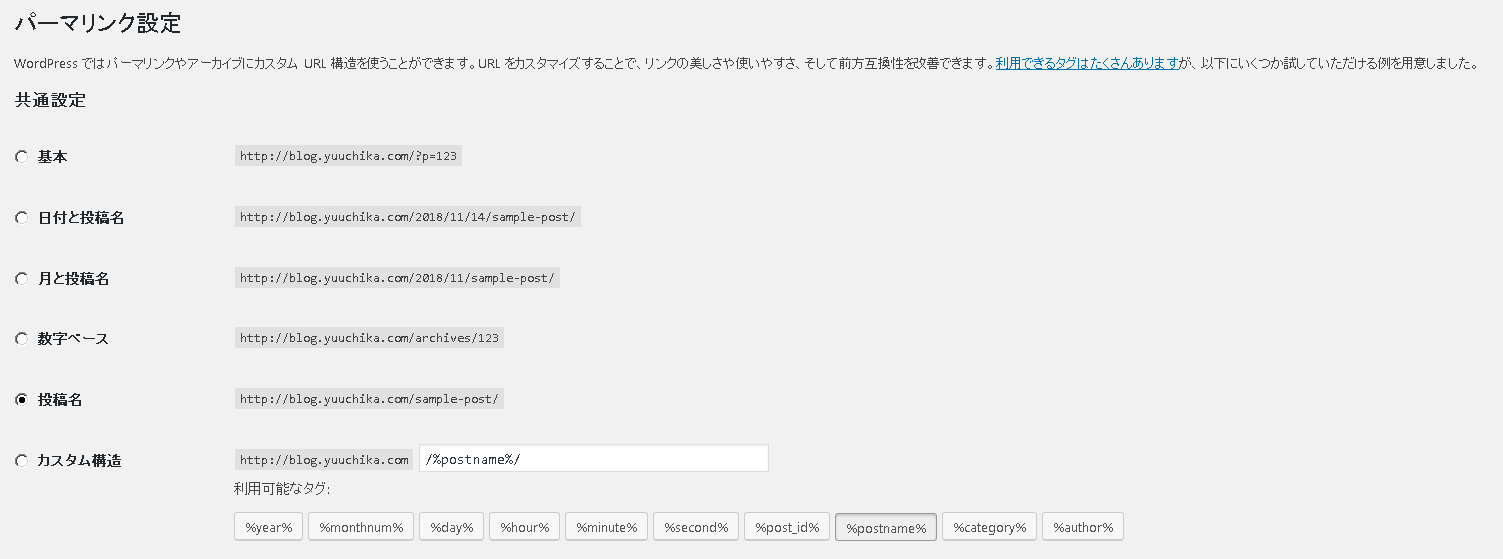
しかし404エラー発生
早速、過去の投稿を新しいパーマリンクで開いてみると、404…。
調べてみたところ、nginx + php-fpm のデフォルト環境下だと、パーマリンクのURIを処理できていないのが原因とのこと。
解決方法(nginx設定変更)
nginxの設定を以下のように書き換えて、nginxを再起動すると無事にパーマリンクアクセスに成功。
/etc/nginx/conf.d/default.conf
server {
    listen    80;
    server_name example.com;
    root /usr/share/nginx/wordpress;
    index index.php

    charset utf-8;

    location / {
      try_files $uri $uri/ @wordpress;
    }

    location ~ \.php$ {
      try_files $uri @wordpress;
      fastcgi_index index.php;
      fastcgi_split_path_info ^(.+\.php)(.*)$;
      fastcgi_pass unix:/var/run/php-fpm/php-fpm.sock;
      fastcgi_param SCRIPT_FILENAME /usr/share/nginx/wordpress$fastcgi_script_name;
      include fastcgi_params;
    }

    location @wordpress {
      fastcgi_index index.php;
      fastcgi_split_path_info ^(.+\.php)(.*)$;
      fastcgi_pass unix:/var/run/php-fpm/php-fpm.sock;
      fastcgi_param SCRIPT_FILENAME /usr/share/nginx/wordpress/index.php;
      include fastcgi_params;
    }

    access_log /var/log/nginx/wordpress.access.log main;

    error_page  404              /error/404.html;
    error_page   500 502 503 504  /error/50x.html;

}
設定ファイルは該当部分だけを抽出しているので、使用される場合は各自の環境に合わせてください。